Web Components in Space #
Independently produced video series set on a space lab orbiting Earth to teach about emerging and interesting technology as it applies to the latest Web Standards.
TensorFlow.js Community Show and Tell #
In this Show & Tell I shared some highlights from working with pose capture via TensorFlow.js to power the Adobe Design experience at the de Youngsters Art Party earlier that year.
Web Components in Space! #
In this talk, I explored taking Web Components into 3D and beyond with AR and VR. Notable personal projects I showed included a simple Web Component based 3D scene creation tool with Babylon.js. I ended with a fully working demo of a Web Component working on an Oculus Quest headset in VR.
Web Components in Action #
Wrote a roughly 450-page book on Web Components, the first book on the subject from a major publisher.
Web Components in Action at Manning
Prototyping for Project Aero #
Though the details of this talk are under wraps, designer David Montero and I discussed our efforts around prototyping for Adobe's new Augmented Reality initiative. We detailed how prototyping can take assumptions and hypotheses, turn them into design and something usable, and then be validated or invalidated.
Mixed Reality Pavilion #
Worked with my colleague Bhautik Joshi to gather submissions to demo at an internal Adobe Tech Summit, working with each exhibitor and event management to get everything running smoothly. Once the event was up and running, I managed a team of 20 volunteers (and helped) to show off these Augmented and Virtual Reality experiences to conference goers.
WebVR Workshop #
Gave a hands-on WebVR/A-Frame lab at Adobe for a group of 20 people.
Intro to VR
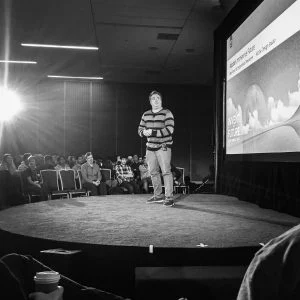
This session explored what Adobe was doing in the Virtual Reality space and speculated on our future endeavors. Winner of Top 10 session at this internal technical summit.
HTML5 Buddy Cops #
This session explored Polymer and Atom-Shell as great technologies that go great together, much like buddy cops.
Atomic Desktop Power with NodeJS #
This session covered how to build an HTML5 based application utilizing features from Node.js that were never possible in your browser using Atom-Shell from GitHub.
Creative NodeJS #
This presentation was an exploration of past creative coding/multimedia platforms followed with the basic premise that Node.js is the next up and coming creative platform. I explored using desktop application wrappers like Node Webkit and Atom-Shell. I also took UI frameworks and libraries that we are familiar with in our browsers and used them in Node.js with Node Webkit. One example included an AngularJS directive for doing face detection live with OpenCV in Node.js.
Front End vs Backend #
This panel of myself and 3 other developers explored what the different strengths and weaknesses of front end applications were compared to the back end. I'm kinda proud to say that I brought up the internet connected egg tray followed by the claim that front end and back end divisions were really just useless constructs especially for modern development with the "internet of things."
Sweatin' to the Web #
Following up with my love for the MS Kinect and 3D depth sensing from the NCDevCon presentation, I studied up on OpenNI: a free, open-source, cross-platform 3D sensing SDK. I took this and created a Node.js plugin to use gestures and skeletal data in a browser. In my presentation I talked about moving around to interact with the web, using natural user interaction, and some light Javascript to interact with my plugin.
Javascript Fun with the MS Kinect #
On a whim, Ben got a used XBox Kinect for $70. And now after a bit of setup he's controlling things on screen using just his hands (and possibly his feet) in mid air! Not only that, but by using the fantastic KinectJS project, we don't have to use C++ or C#, we can use Javascript in a normal modern browser. The keyboard is sooo 1980's. The keyboard is sooo 1990's, touch screen is sooo last year. It's Kinect time!
Javascript Continuous Integration with Google Closure and Jenkins #
A long time ago, Ben learned, accepted, and loved continuous integration and Object-Oriented code organization...you know with classes and packages and stuff. Then he had a decent sized Javascript project and it all went to hell.
Then Ben breathed a sigh of relief when he found Google Closure and used it with ANT and Hudson. He was able to sort and separate his Javascript into many many classes and packages which Closure was nice enough to compile together into a nice little package.
Not only was it minified into one file so Ben didn't have to fear the Javascript "We're not an OO language we're Prototypical" purists, but Closure also kindly pointed out the things that would probably fail in IE. The browser also thanked him that it didn't have to download his entire library of like 70 .js files all at once.
Live Instrumentation in Flash #
This session covered the basics of working with sound in Flash, and then how to build on top of that to create rudimentary musical instruments on tablets and phones. We explored, at a fundamental level, how sound works, how to create sound at a certain frequency, and how those frequencies can be mapped to notes and chords. We then explored how to use this knowledge right in Flash for web, AIR, or mobile.
I dissected my open source Flashamaphone project to help attendees learn these concepts, and showed off other similar audio engines.
HTML5 vs Flash Video: Choose Wisely #
In this session, Ben discussed the differences in serving up video content through Flash versus the HTML5 video tag. Each has pros and cons, and we discussed what is appropriate for different situations. We also discussed using streaming or progressive video along with some popular video player libraries (both on the Flash and Javascript sides), how the HTML5 video tag works at the basic level, and how to leverage it to develop your own player.
Music and Sound in Flex and Flash #
Presented on various ways of working with sound in Flash and Flex. Covered basics of digital signal processing for audio, creating sounds from scratch, and microphone manipulation. Also covered various ways to get more performance when processing lots of audio samples.
Hands-on Flex Session #
Adrian Pomilio and I created beginner's applications and training material for this 2 hour hands-on session. We covered the basics of Flex, and then demonstrated how to build both a music player and Flickr photo viewer while the audience followed along.
Adobe Flex 4 for Coldfusion Developers #
Assisted David Tucker with a full day training seminar geared towards Coldfusion developers to train them for using the new Flex 4 Beta software for creating Coldfusion connected applications. The event was challenging as Adobe only requested TAs days before the event. Even though I was familiar with Flex 4, I had never used Coldfusion and didn't receive the training materials until the morning of the event. Despite all this (with the help of two other TAs) the event was a big success.
Harvard University #
Assisted teaching a Flash Actionscripting course presented by Scott Traylor. Created classroom examples, as well as offered Actionscript help to students in the computer lab. Also evaluated their performance to give out grades.
Adobe Fireworks CS4 for Beginners #
Discussed Adobe Fireworks features for designing and interactive prototyping for HTML sites and Flex applications.
Using Flash Assets in Flex 3 #
Discussed how to use assets created in Flash in Flex 3 applications. Presentation covered skinning, creating AS3 components, and basic graphical manipulation using the Flex Component Kit for Flash CS4.
Physics in Flash #
Discussed why developers may want to use physics engines in Flash and covered the pros and cons of several free engines. I went into detail on Box2D and showed a few demos and explained how it works.
Zinc Desktop Tool for Flash #
Discussed what Multidmedia's Zinc is and why it's a great choice to bring Flash to the desktop. We went over using joysticks, embedding media, creating extensions, and more.
Sound in Flash #
Discussed a wide variety of topics under the umbrella of using sound in Flash. This included embedding on the timeline and loading/playing sound with AS3. Also went into advanced topics like visualization and creating sounds dynamically through code.
Papervision3D #
Discussed a popular 3D engine for Flash called Papervision3D. We went over how to create assets in a 3D tool called Blender (modeling, texturing, and exporting). And then we covered how to bring these assets into Flash for manipulation. This presentation was given by Troy Stratton, Iris Stratton, and myself.
Flash Catalyst and Flex 4 #
Discussed newly released beta software for the Flash platform. Covered how to design/prototype an application in Flash Catalyst, and bring that over to Flex 4 for creating interaction and functionality. This presentation was given by Troy Stratton, Iris Stratton, and myself.