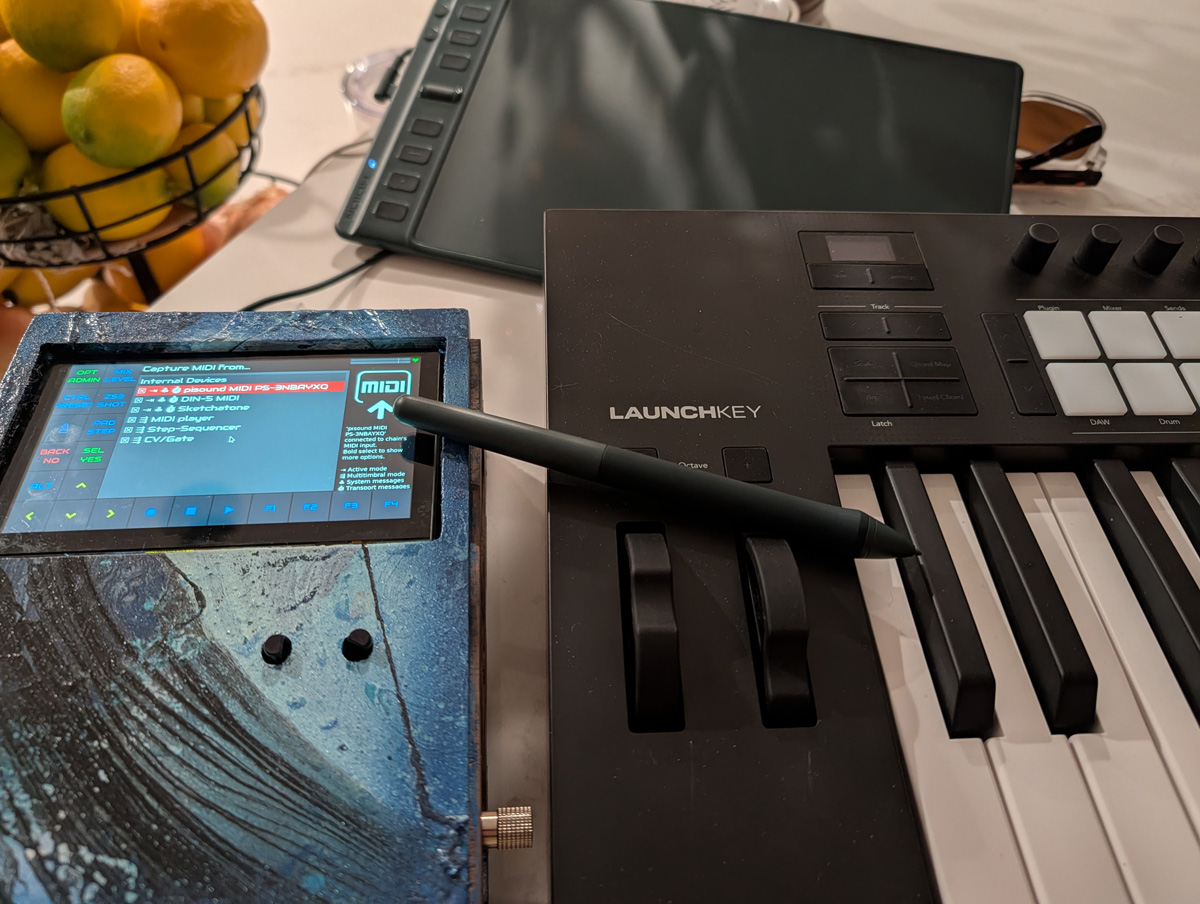
Sketchatone is the first serious AI coding project I've done. If it weren't for tools like Cursor and Augment, this would be a pretty limited (but fun) experiment. But right now I've got several utilities and installers spread across Python and Javascript, MacOS and two flavors of Raspberry Pi.
My motivation was pretty simple - I'm a keys player, but lots of music I like is guitar driven. The strumming adds a nice human richness to the sound, and strumming is easy to do!
Contrast that with the keys. IMO, you can add lots of richness, but you're doing acrobatics across the keys and need to be able to play pretty fast to get those textured fills in.
I'll get there, but I also want to do vocals while playing. Strumming a guitar is WAY easier.
I was looking around for devices that could do this, and came up shockingly short. My new keyboard controller (Novation Launchkey MK4) has a little strum function, but it's a tiny scroll wheel that's only so useful. Really, I wanted more something like the old Suzuki Omnichord that just relaunched, but as good as this may or may not be, it's $1000!!!
It was tempting! Artist like Rebecca Sugar have made some amazing sounding songs on it, but it nagged at me that there should be something more DIY out there.
And every several years or so, some neat project pops up! Here's an Arduino based one from 2019. It's neat, but for someone who's terrible with electronics, it's a bit much.
Nope, I'm better with software! And something else has happened over the last decade. Wacom, the company that is known for high-end battery free drawing tablets, had a number of patents expire. This led to a rise of similar, very inexpensive tablets, like these two I bought recently:
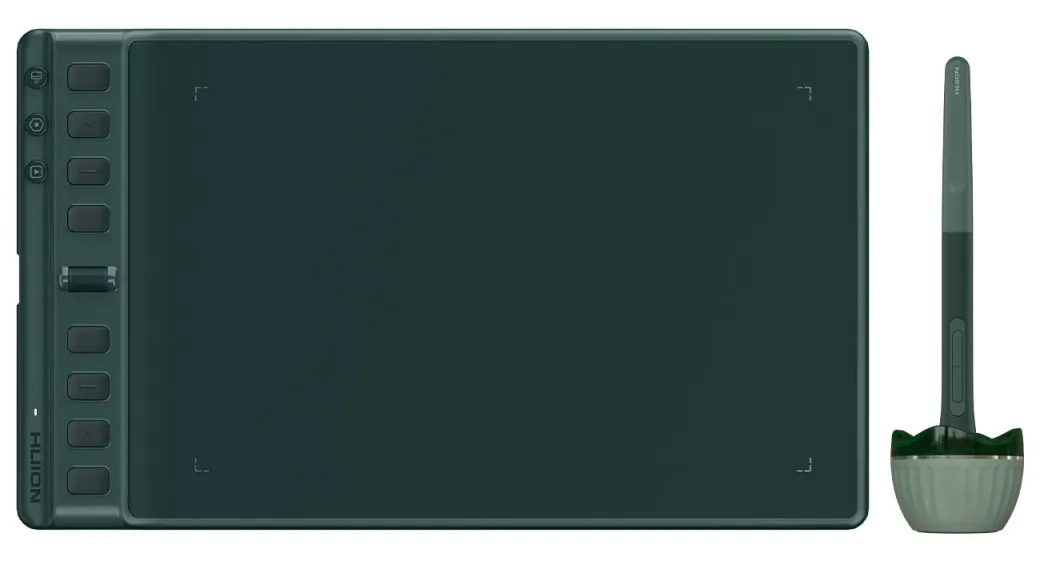 the Huion Inspiroy 2 Medium ~$70
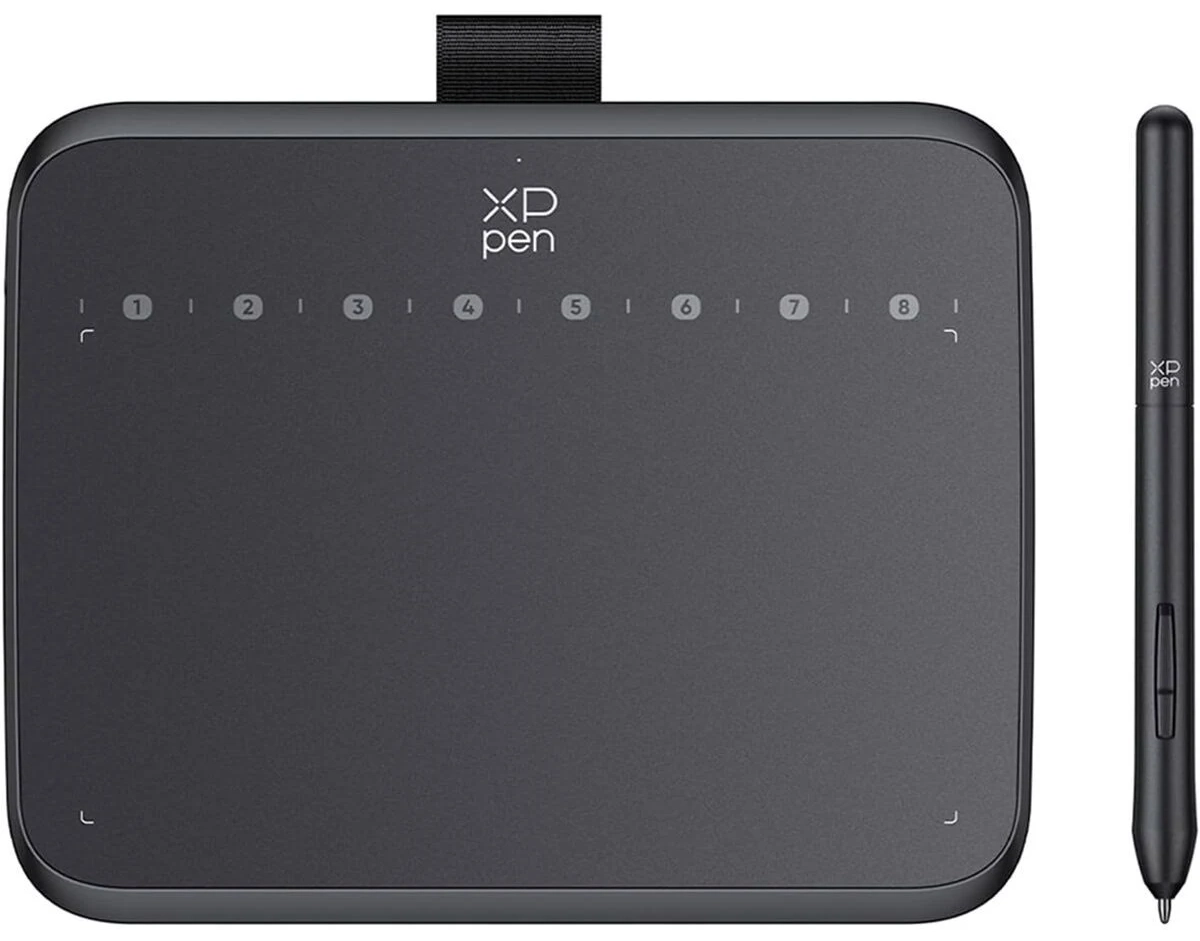 the XP Deco 640 ~$30
Tablets are the Perfect Strumming Surface #
Why do I mention drawing tablets? Well for one, you can imagine dragging a stylus across the surface and over imaginary strings like a pick. Drawing tablets have high resolution and can be very responsive - so strumming action can feel pretty nice here.
The other thing about drawing tablets is that they have a high level of precision in several other areas too! Of course, there's the whole Y axis. But 16,0000 or so levels of pressure sensing is pretty normal for these things.
We also have horizontal and vertical tilt, or basically what angle you're holding the pen at.
Lastly, most tablets I've seen offer buttons on the side that can trigger various things (though this has been a bit hard to get right if you refer to my Blankslate project post)
We can control a number of things like note velocity, sustain, pitch bending, and even just triggering chord changes!
And this is all on a device that doesn't need batteries, lots of people have, and can cost as little as $30!
First attempts #
Late last year, I had a good first iteration of this. But honestly, AI tools helped me build it a bit too quickly. Using HID (human interface device) APIs can be super finicky and confusing when interacting with a device that your OS tries to lock down, but also when the manufacturer really would rather you use their driver software and not go mucking around with it yourself.
The result was that AI helped speed me through building a good first prototype, and I thought I understood how it all worked. But things kept changing under my feet. I had built a light configuration tool to help "learn" the bytecodes and ways to interact with various tablets, but given how AI "helped" me, I didn't really understand some of the nuances.
So it was flaky, and all the low level tablet interaction code was wrapped up in my project code. So I broke it out into Project Blankslate and made that project a dependency of my new strumming project.
I discovered and learned all sorts of ways HID devices can act. They can act one way, but then on separate interfaces altogether when the driver software takes over. They can have keyboard interfaces either through their drawing interface or separately - which matters, because your OS REALLY likes locking down keyboards.
I also learned about WebHID, so we can strum in the browser and send MIDI with nothing installed! But as you can read in my Project Blankslate post, there are some pretty big limitations we can't overcome with a browser.
In the end I think I made Blankslate a pretty solid tool for reading tablets and generating configurations to read them. Although with only having tested my 2 tablets, who's to say!
AI did really help me here, because I'm left with a Python version, a Node.js version, and a WebHID version. I've got tons of unit tests, and some pretty robust documentation. Doing all of this without AI help would have taken a LOT longer!
Trying on Various Devices #
So, strumming on a tablet connected to my laptop is one thing. I can watch the notes and see that "YES it's doing the right thing in theory", but at some point, you gotta start playing some music. The obvious first try is just to get this working locally on a DAW (digital audio workstation).
Fortunately, I have Ableton Live 12 installed! This was an easy setup. Get the Sketchatone running, arm the MIDI track in Ableton for recording, and go! It worked well, and was the primary way I tested things on this project to get the strumming feeling right and all the features feeling like a real instrument.
Tapping the tablet buttons are fine for chord changes - it can act a lot like the Omnichord in that aspect. Press a button to change to a E flat minor, and now you're strumming an E flat minor.
But the fact is that I'm pretty good with chords on a keyboard as well. So allowing MIDI in to change the strum chord felt really nice. I had my drawing tablet on my left and my keyboard on my right (I'm actually left handed, so it worked out great), I could strum a rhythm on my left hand and do all the chord changes on my right. Also, I've made a lot of aspects of Sketchatone configurable, and this includes MIDI channels and devices.
So, what I ended up doing was to send my MIDI keyboard controller to BOTH Sketchatone for strumming AND to Ableton. Sketchatone would control a plucking instrument on one MIDI channel, while the keyboard controller both controls the Sketchatone chords and plays some backing block chords with some luxurious pads on another channel.
It made a pretty darn full sound!
Now that's my laptop. What would be nice is to make this a little more rock and roll - no bringing out a Macbook Pro on stage.
I've been exploring a nice little project called Zynthian. Zynthian is a environment with amazing synth and instrument plugins, effects, and a sequencer and clip launcher. It's also built with a custom Raspberry Pi OS. Not wanting to commit and buy a premade kit, I loaded up my own Raspberry Pi with the Zynthian OS and built my own case. I also added a PiSound hat to get some low latency audio as well as MIDI and instrument ins/outs. I blogged about this here.
With a little help on their (extremely nice and amazing) forums, I was able to get this project showing up as a proper MIDI device in the Zynthian UI. And this was essential for using "multitimbral mode" where I could assign different MIDI inputs to different channels. In fact, I'm remembering now that the idea to make this into a service rather than a Zynthian plug-in was from this same thread. Good advice - because it can work lots more places now!
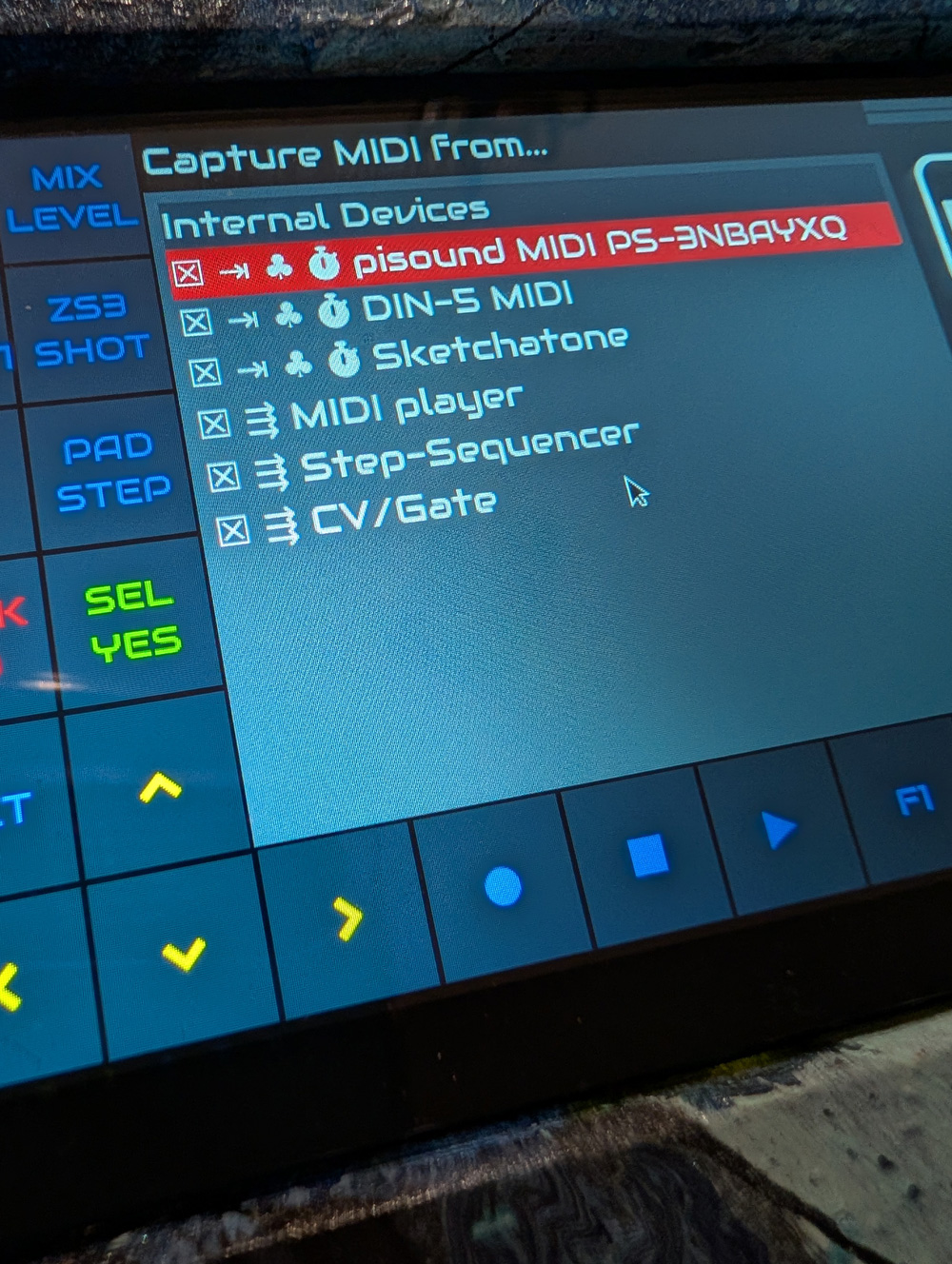
So the Zynthian is a nice non-laptop based place to try this, but I had another Raspberry Pi 4 laying around. I 3D printed a case for it off of Thingiverse. The plan: to use it as a standalone MIDI device that uses MIDI out and allows strumming on a normal MIDI keyboard! After lots of struggling with dropped MIDI notes, it finally works! If you can live with the 30 second boot time for a tiny device that looks like it should just power on, it's kind of awesome.
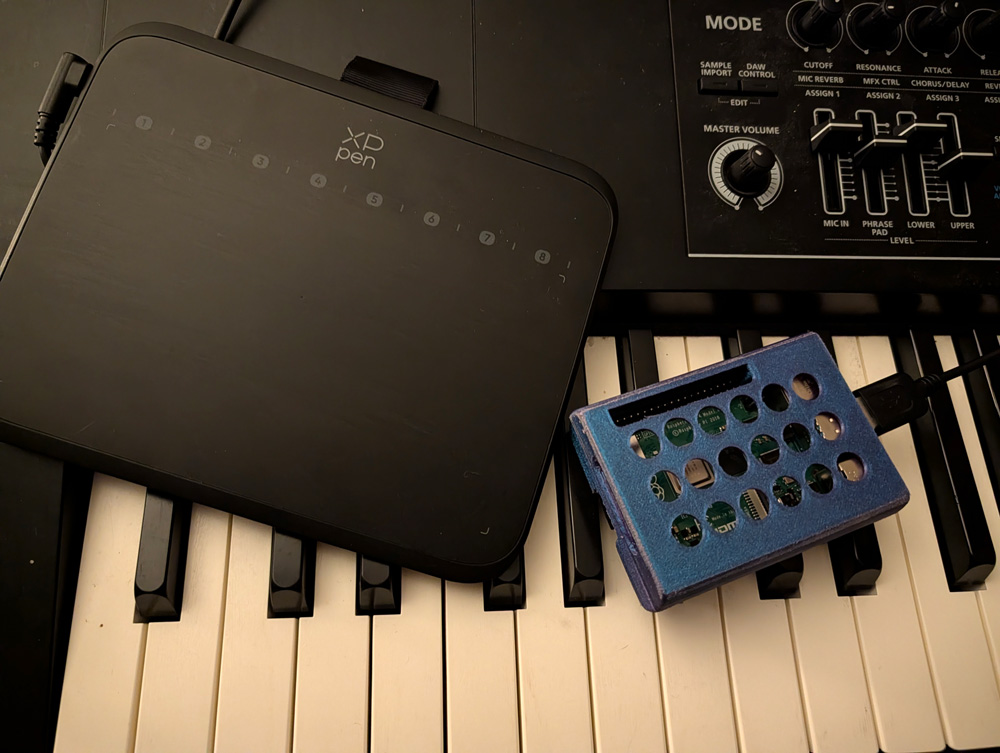
Being a Raspberry Pi with onboard wi-fi, however, we can take advantage of it being a mini computer and do something that works on my laptop as well. And that is run a server!
The Configuration Server #
One thing I haven't mentioned yet is the effort I put into UI on this project. Yes, it operates headless. In fact, fingers crossed, hotplugging different drawing tablets should work well provided the configuration files had been generated and added to the devices folder. But also, there's so many different ways to strum! Even if there was one "right way" that works for everyone, I'm sure I still don't know it yet.
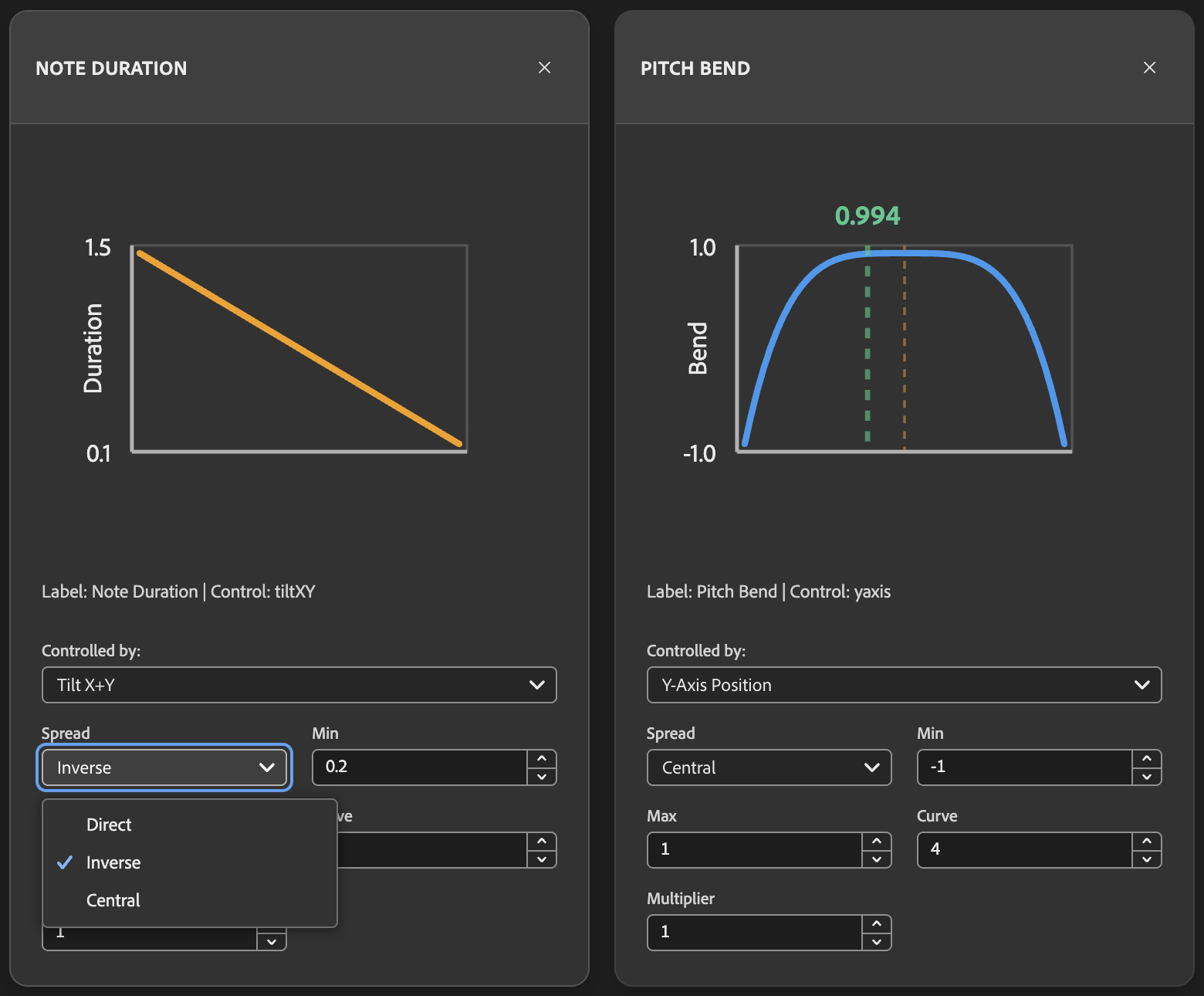
This is why I have a web based configuration tool. Whether on the Raspberry Pi, Zynthian, or laptop, Sketchatone fires up a web server which connects over websockets to the core service. It shows you interacting with the tablet live, but more importantly allows configuration. For example, note duration or pitch bend can be configured to use the tilt direction or the Y axis with settings to adjust the input along a curve or just linear mapping.
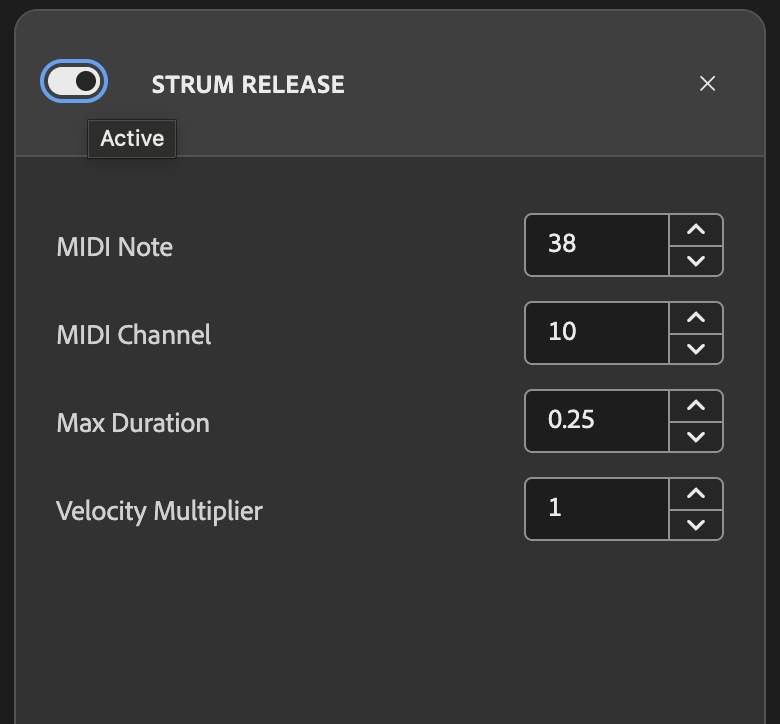
Strum release is another thing I added. At that point I was just listening to acoustic sets and hearing percussive thumping on the strings, so added a feature that when on and you lift off the strum, it can send an event to another MIDI channel. I think it should be percussive - but you do you!
I also consolidated a number of features an "action" system of sorts. Transposing up or down an octave (or semitones) is a nice thing you should be able to do live. Maybe allowing a note repeater is something you do or don't want, and you want to turn it on at a moments notice. Chord switching between a C Major pop progression is nice too.
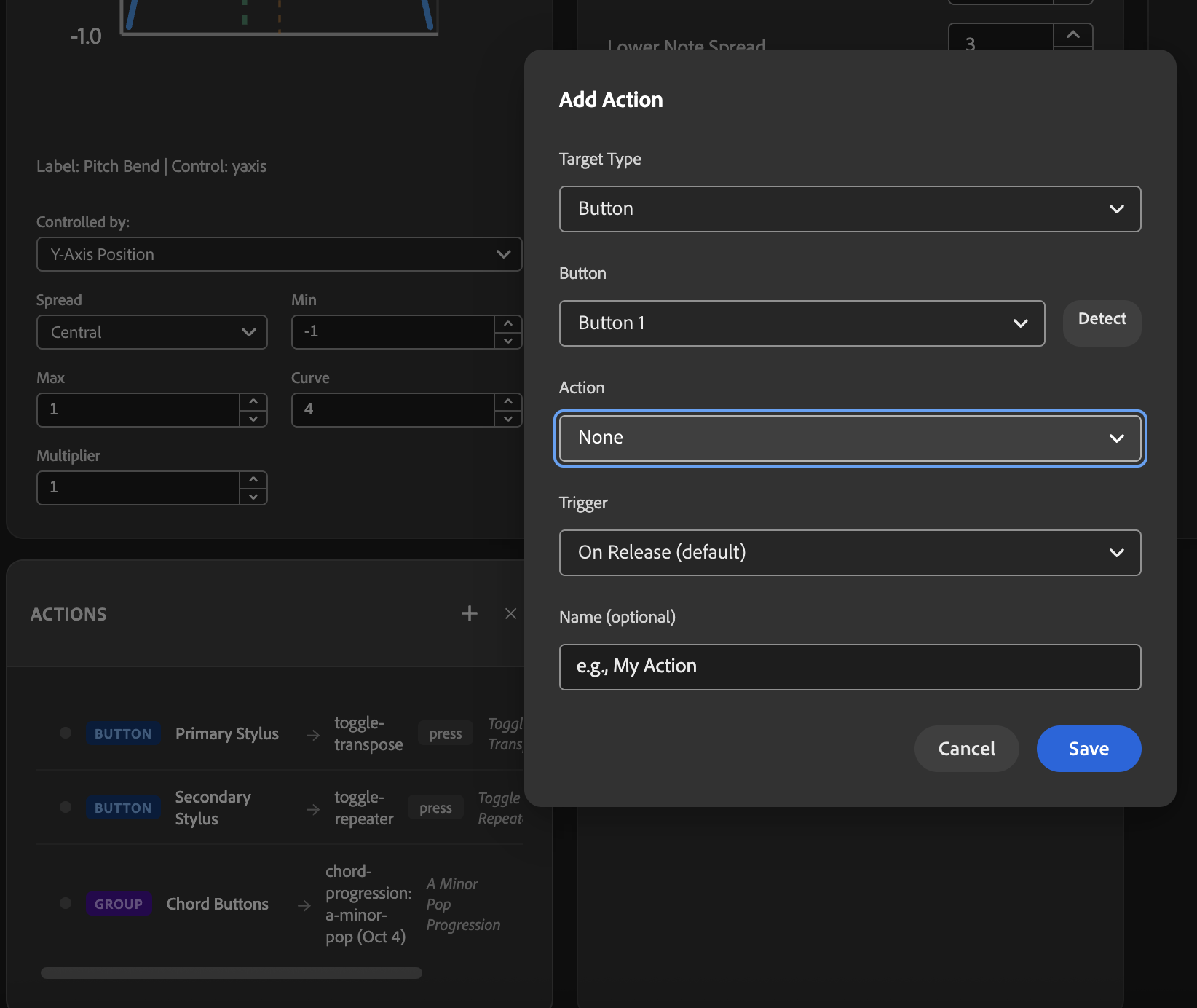
All of these things can be triggered by a button press on the tablet. And there's a customizable actions panel to do the assignments. This is a recent addition after some last minute refactoring - so fingers crossed it works well, but I'm been doing some chord switching and strumming on my Huion tablet with real physical buttons....it feels really good!
Adding your Tablet #
Like I said, I've been using my XP Pen Deco 640, and the Huion Inspiroy 2 Medium. I absolutely haven't tried this project on your tablet if it's not either of these. But, IN THEORY, my configuration tool on Project Blankslate should work.
I've actually found that the despite the annoying limitation of WebHID not allowing you to stop using your tablet as a mouse cursor without some special tricks outlined in my WebHID post, it can actually reasonably configure the digitizer part of your tablet pretty well. This means drawing functionality, pen pressure, tilt, all can be configured pretty smoothly. In fact, from the two devices I have, my guess is that there won't be too much difference between tablets in this regard.
The buttons on the side of the tablet are the painful bits. WebHID just completely blocks the HID keyboard unfortunately, so to properly run the wizard for keyboard events as well, you'd need to use the Python or Node.js versions (both should work the same if I've tested properly).
But if you've managed to generate a JSON config file, this can be added to Sketchatone's devices folder and will be autoloaded when the device is plugged in!
I will say if you have a config that you made that works well, I'd love to add it and get a library going! Maybe a PR to my repo would be nice!
What's Next #
TBH, I was kind of obsessed with getting this done. So my plan is just to let this simmer and play with it! I definitely plan to fix things as they come up. I'll probably think of new actions to add to the actions system, but I don't want to keep coding this for the sake of coding it.
THAT SAID, I was just thinking the other day that there are other types of expressive instruments this could emulate. The one thing that comes to mind are brass instruments. A slide trombone, for example really can't be emulated well with a keyboard and pitch wheel. You'd have to exactly control the timing from note to note, coordinating with the pitch bend to make notes glide into each other. A drawing tablet experience could really control the pitch between notes extremely accurately. So future explorations will likely be different control mechanisms besides the strum!
All that said - I've really just made another instrument. And instruments take time to get good at, and having never played guitar, I'll have to work on my strum technique!
Here's all the docs where you can find instructions, releases and more! https://sketchatone.com