In my last post about WebHID and Drawing Tablets, I talked about experimenting with the Chrome/Edge only API for reading HID (human interface devices) from the browser. I also mentioned my endgame for my exploration. I was exploring using a drawing tablet as a sort of MIDI controller. I'll get into this in my next post, but in my first iteration of this project the drawing tablet reading was part of it. But as things got more complicated, it grew bigger and harder to manage. So I broke out the drawing tablet code into it's own project.
Project Blankslate #
So that's what I'll talk about in this post! Blankslate is two main tools. One tool reads raw HID bytecodes and turns them into actual tablet events that can be used in a project.
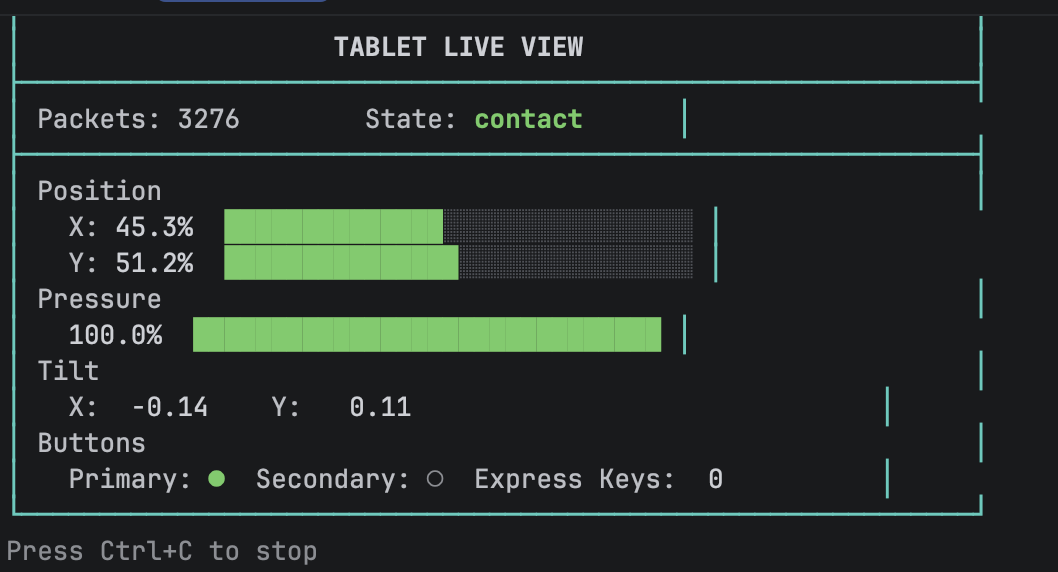 One of the Blankslate readers (Python and Node.js versions available)
The unfortunate reality, though, is that drawing tablets have different implementations from different vendors. I get into this in my last post in detail through the lens of WebHID and this means a simple tool to read drawing tablets isn't so easy.
I've explored two different tablets so far. One is the the XPPen Deco 640. Honestly, I bought this one because it was $30, so pretty inexpensive! It offers the normal drawing stuff - X, Y drawing coordinates, lots of pressure sensitivity, stylus tilt reporting, and a primary and secondary button on the pen. It even allows differentiation on coordinates when the pen is hovering vs drawing.
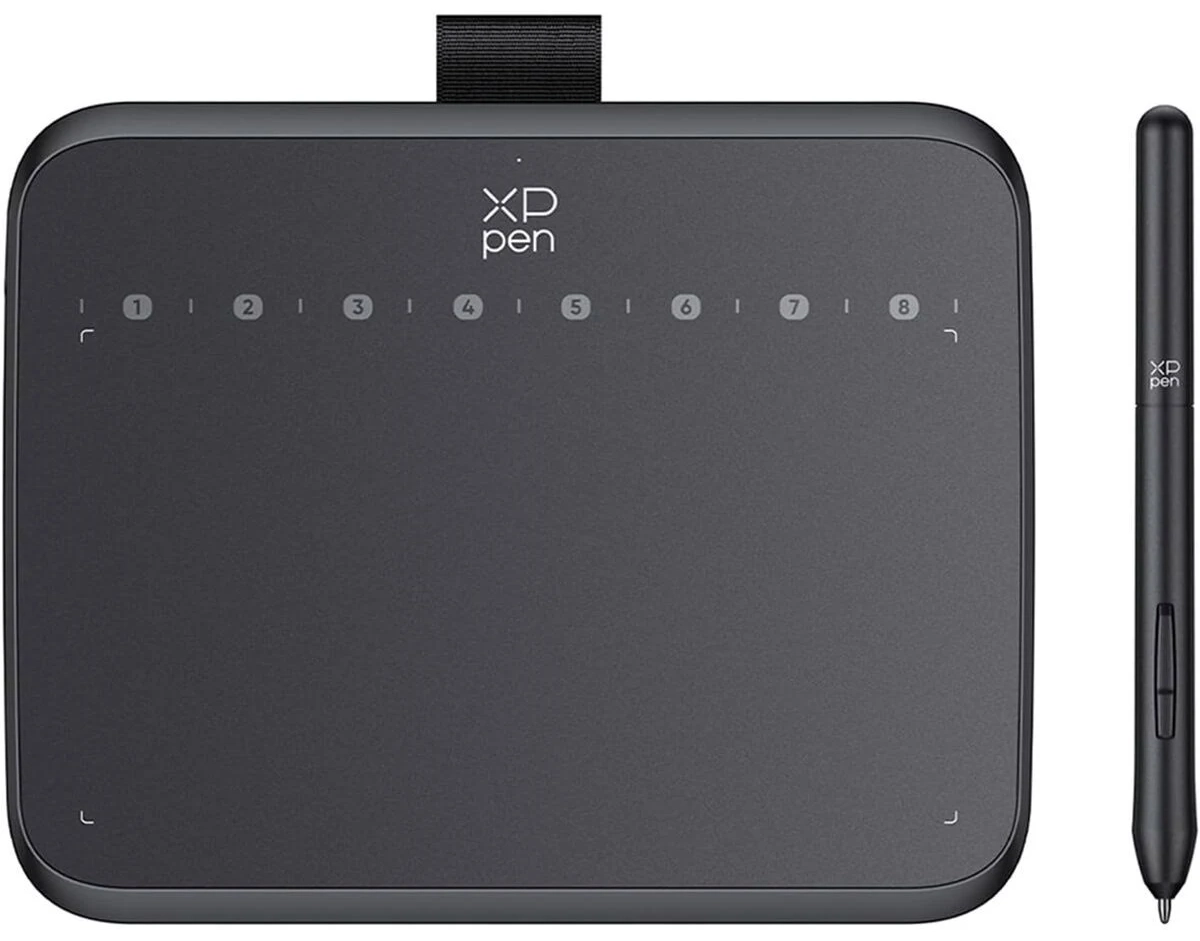 the XP Deco 640
In this way, only small details seem to differentiate between this one and my new Huion Inspiroy 2 M. I picked up the Huion to be another option to try, but also because it has physical buttons on the side that you press, unlike the Deco which has virtual buttons that you tap (and really have to look close to see as you use them).
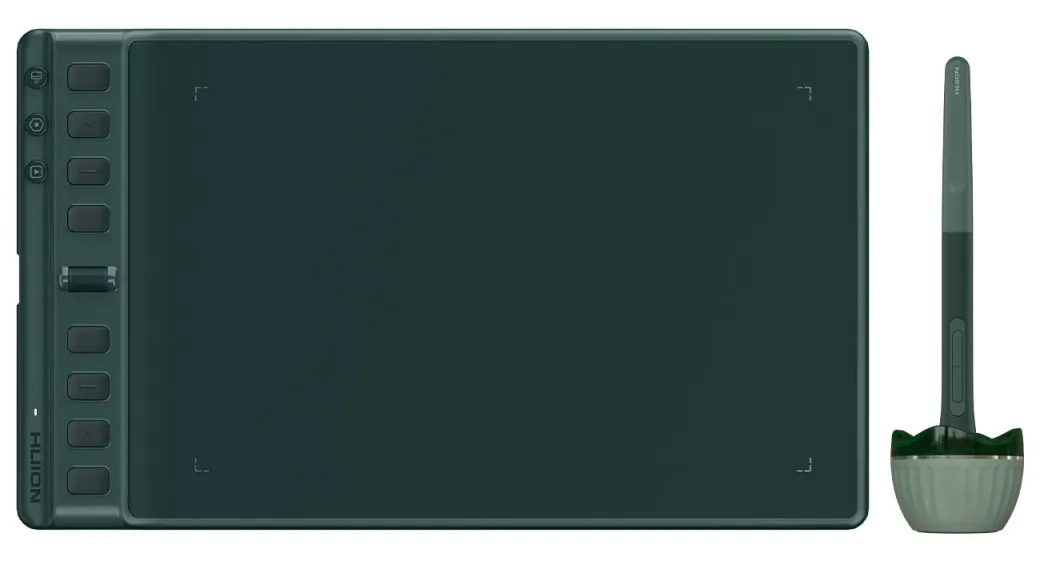 the Huion Inspiroy 2 Medium
The Huion also has 3 different modes with 8 buttons each plus a scroll wheel. This really makes 30 buttons compared to the XP's 8!
But this is also where the tablets diverge A LOT. The Huion uses a keyboard HID interface for this, while the XP's buttons are nicely on the digitizer interface.
Couple this with the fact that the driver software will actually make the tablets operate slightly differently when it comes to interacting with the byte data.
So it's complicated!
This is why in addition to the reader, we have a configuration tool.
The Configuration Tool #
Maybe I rabbit holed too much on this, but I made a configuration tool where a user performs specific actions with the tablet, and based on these actions, the software learns how to parse the bytes, which bytes to read, and how to turn this into actual tablet events we can consume.
For example, step one asks the user to draw across the tablet horizontally, and step two - all the way up and down. This shows which bytes are used for the X and Y coordinates and allows us to see the bounds of the data as we get to the edges.
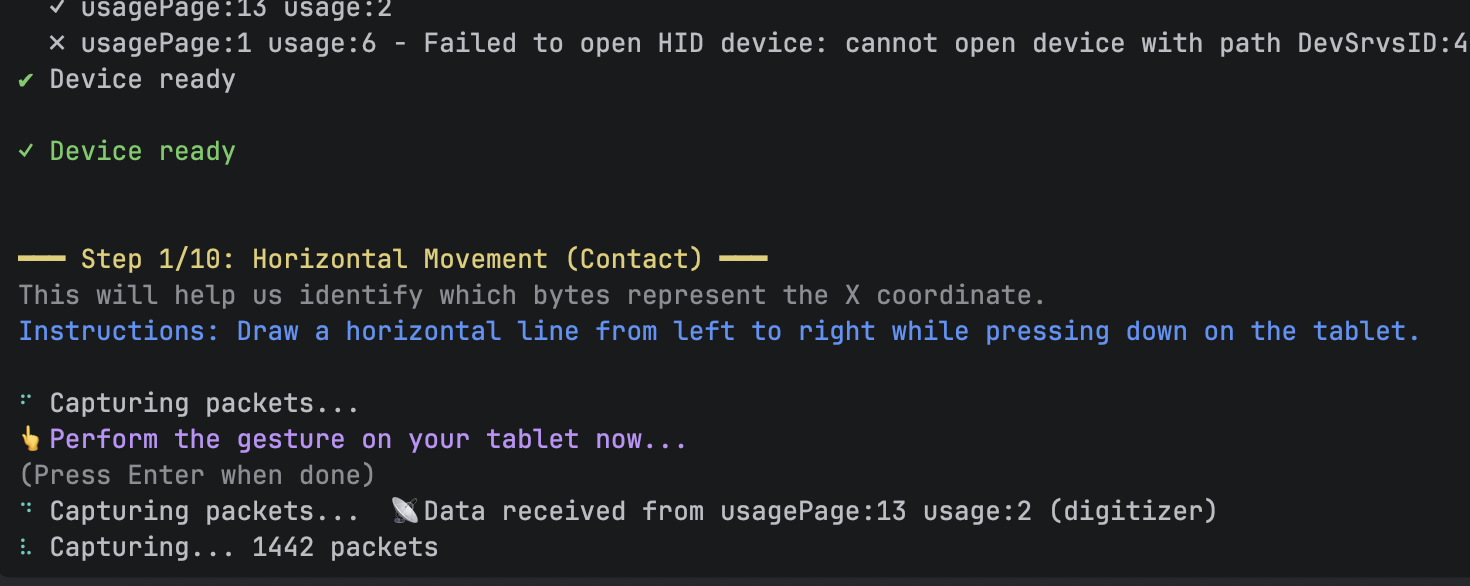 The step by step configuration tool (Python and Node.js versions available)
Even though I said that the actual drawing stuff seems like it might be similar from tablet to tablet, which interface, model, and report ID are all recorded to help us connect to our specific device later, when we want to target a single one we've just plugged in.
In the end, we end up with a JSON configuration file that has all the details for turning raw byte data read over HID into tablet events.
"x": {
	"byteIndex": [2, 3],
	"max": 32767,
	"type": "multi-byte-range"
},
"y": {
	"byteIndex": [4, 5],
	"max": 32767,
	"type": "multi-byte-range"
},
"pressure": {
	"byteIndex": [6, 7],
	"max": 8191,
	"type": "multi-byte-range"
},
"tiltX": {
	"byteIndex": [8],
	"positiveMax": 80,
	"negativeMin": 176,
	"negativeMax": 255,
	"type": "bipolar-range"
},
Using AI Coding Tools #
I don't know if I would have even attempted this project if it weren't for AI coding tools. There's too much I didn't know - even down to using "little endian" byte reading. Cursor, and later Augment, helped me explore all the bits here that I was over my head on. I was also a little wishy-washy on languages.
My first iteration on this was using Node.js and the node-hid package for device reading. Partway though I discovered that Chrome launched WebHID in 2021. Given that it's all Typescript/Javascript anyway, I implemented both ways. I covered CLI tools in Node, browser only WebHID, and even using a websocket server in Node to message the tablet events to the browser.
But even then I wanted this to work on a Raspberry Pi, so Python was the best choice since it's already installed by default.
So now, I'm maintaining three different implementations, with multiple flavors of each. I'm also managing a web dashboard and CLI interfaces for reading and configuring!
There's no way I would have expanded my scope so much without AI coding tools. I've also learned that expanded scope means more bugs and regressions - so I also learned to lean into AI generated tests. I haven't used automated testing in a while, but now for stability on such a big surface area, it feels like a must!
It also enabled some comprehensive (maybe too comprehensive) documentation, which I just wouldn't have had the patience for previously.
And honestly, this final step of blogging helps my mental model and understanding - because quite honestly, before I started writing, I only vaguely understood the ins and outs of byte reading and device interaction with HID!
The Dashboard #
I was also able to go all out with some web components and Lit.dev for a decent looking dashboard app. It shows events coming in, and SVG graphics of the tablet in action, so we can have some immediate feedback the device reading is doing what you think it's doing.
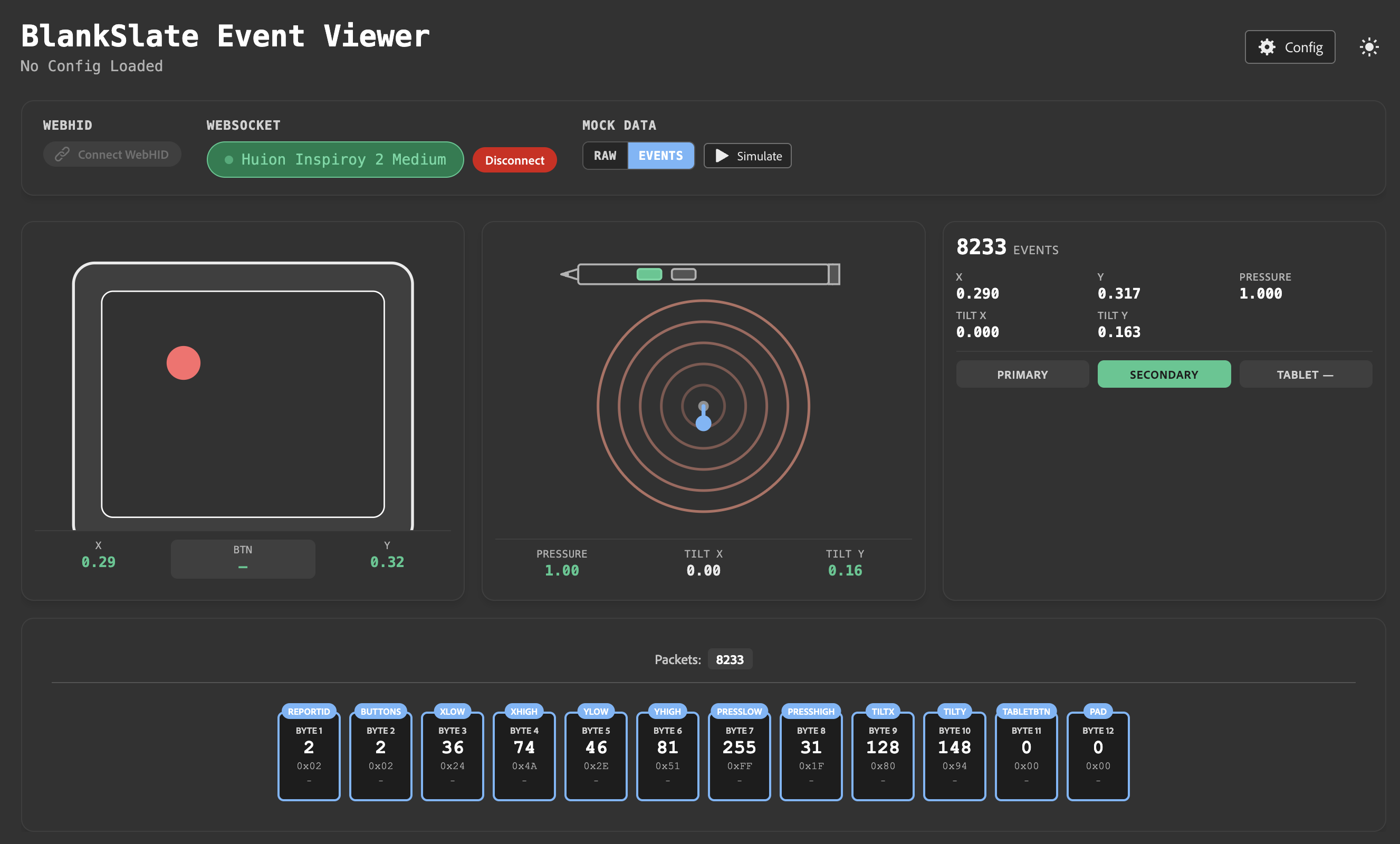 Blankslate Dashboard
And of course, the dashboard also has a configuration tool to help you learn your device and create a configuration file for it, just like the Python and Node CLI tools.
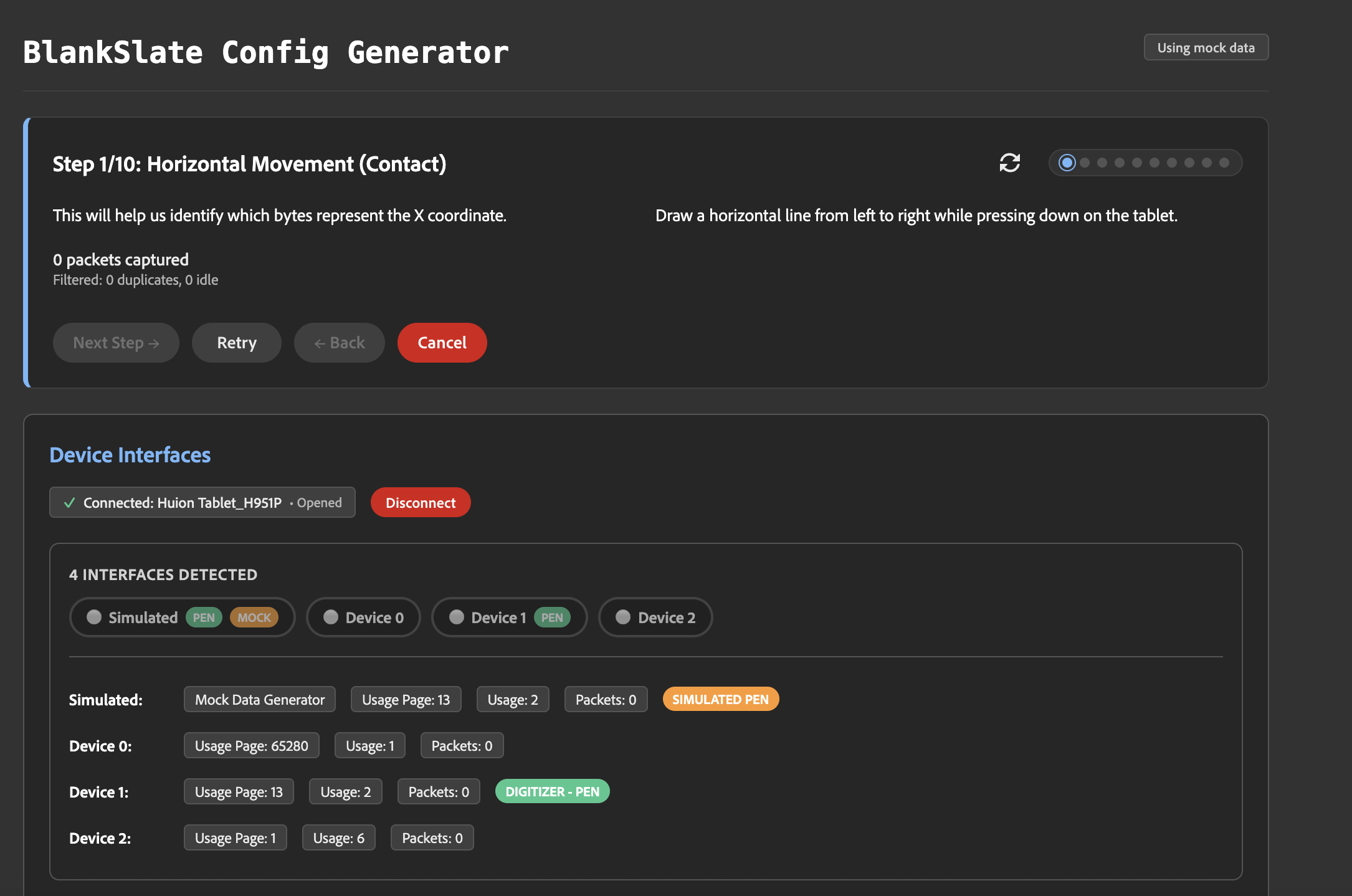 Blankslate Config tool
Using Blankslate as a Dependency #
For now, I've made exports available via my package.json for the visualization components and JS utilities. For Python, I let my AI coding tools help out with exporting as a dependency from the repo. Like I said at the top, in addition to learning, this is all in service of a nifty little music project I'm trying out. I'll likely publish to NPM soon as I know the Node/JS side well - but for now both Python and JS seem to work well enough as aliases.
Feel free to check out the repo! Again, its kind of a big project put together in a shorter time, so while I have some (fingers crossed) decent automated testing here - it might be brittle in the deeper corners.
https://github.com/bengfarrell/blankslate
Lastly, in my next post I'll tell ya all about "Project Sketchatone"!